
For a long time, content planning felt heavier than content creation.
I had ideas. I had drafts.
But once everything spread across notes, calendars, and platforms, I couldn’t clearly see what was actually planned — or whether the plan even made sense as a whole.
That changed when I moved my entire workflow into one connected spreadsheet.
Instead of planning individual posts, I started planning a system.
Below is exactly how I plan 30 days of social media content in one spreadsheet — step by step.
Step 1: Start With Content — Not Dates or Platforms
Every piece of content begins in one central place.
Before thinking about calendars, timelines, or platforms, I log each post as a content unit:
-
the core idea
-
the purpose
-
the type of content
At this stage, there are no dates and no pressure.
The goal is simply to move ideas out of my head and into a clear, structured system.
This alone removes a huge amount of mental load.
Nothing feels scattered or unfinished — everything exists, visibly, in one place.
Step 2: Assign Content to Feeds Once (Without Duplicating Work)
Once content is defined, I associate each piece with the feeds it belongs to.
If the same idea will appear across multiple platforms or accounts, I don’t recreate it.
Each piece of content remains a single entry that can connect to multiple feeds.
This is where a spreadsheet-based system really shows its strength:
-
Edits are made once
-
Updates stay consistent
-
Adjustments don’t break the overall plan
At this point, content planning stops behaving like a list and starts functioning like a connected system.
Step 3: Organize Daily Content Using Monthly Plan Views
This is the most important step — and also the most misunderstood.
Instead of relying only on a traditional calendar grid, I use Monthly Plan views.
Each month has its own dedicated section.
Within that space, every day is laid out vertically, and each planned post appears as a clear content block.
This makes it easy to see:
-
how many pieces of content are planned for a single day
-
how content stacks across feeds
-
whether a day feels manageable or overloaded
Because each day can hold multiple content blocks in a structured layout, planning becomes visual instead of abstract.
This view isn’t about speed. It’s about clarity.
Step 4: Zoom Out With a Calendar Overview
After organizing content within the Monthly Plan, I zoom out.
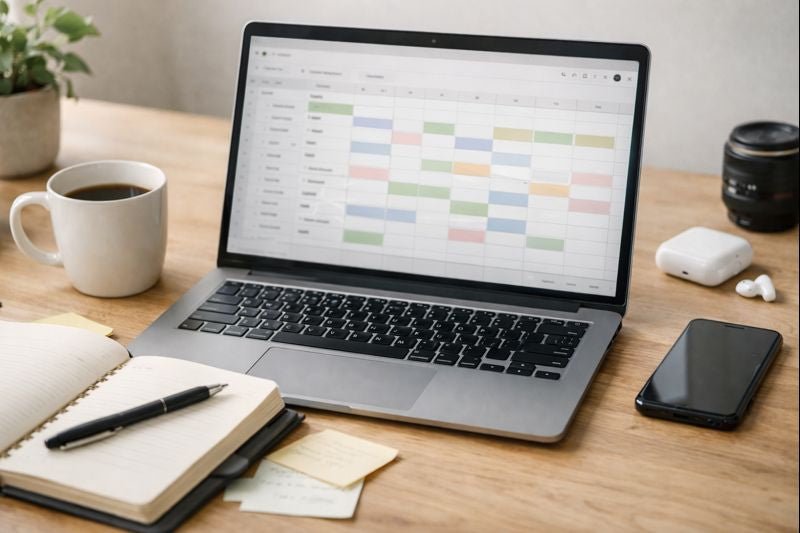
The calendar overview shows the entire month on one screen, with each day displaying a simple text summary of planned content.
I use this view to check balance rather than details:
-
Are there gaps that feel unintentional?
-
Are certain weeks too dense?
-
Does the overall rhythm feel sustainable?
Because the calendar is connected to the same planning system, any change stays aligned automatically.
Step 5: Preview the Feed Before the Month Begins
Before finalizing anything, I always preview how content appears as a feed.
By filtering by feed and date, I can visually review how planned content sits together — before anything goes live.
This step helps catch issues early:
-
repetition
-
uneven pacing
-
misaligned themes
It’s a small step, but it prevents a lot of unnecessary rework later.
Step 6: End the Month With Performance Reflection
At the end of the month, I don’t just move on — I review.
I use the Monthly Performance section to record key metrics and reflect on what actually worked.
This isn’t about tracking everything. It’s about pattern recognition.
Over time, this creates a feedback loop:
-
better planning decisions
-
more realistic content volume
-
clearer direction month after month
Because planning and reflection live in the same system, insights don’t disappear.
Why This Spreadsheet-Based Workflow Works
This system doesn’t work because it’s complex.
It works because everything is connected:
-
content ideas
-
daily organization
-
monthly structure
-
performance reflection
Instead of mentally managing content, the spreadsheet holds the structure — so creative energy goes where it should.
Final Thoughts
Planning 30 days of content doesn’t require more tools. It requires visibility.
Once content becomes visual, structured, and connected, planning stops feeling overwhelming — and starts feeling intentional.
If you’re curious about the system this workflow is built on, you can explore the Social Media Content Planner Spreadsheet here.
Why Google Calendar and To-Do Lists Don’t Work for College Assignments