

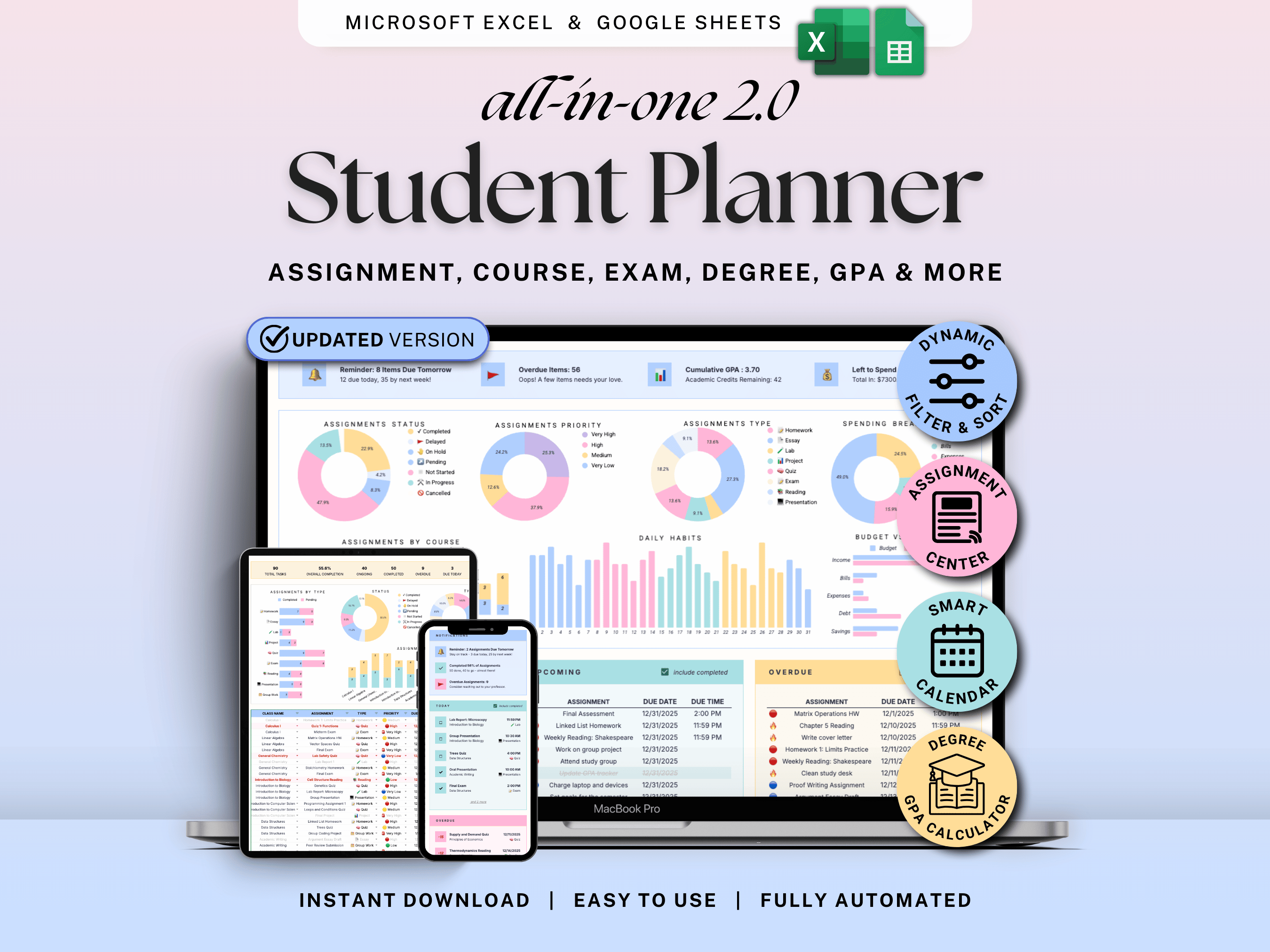
If you’re juggling multiple classes, overlapping deadlines, and constant reminders from different apps, the problem usually isn’t motivation — it’s visibility.
Most students don’t struggle because the work is hard. They struggle because assignments live in too many places, deadlines aren’t clear, and nothing shows the full picture at once.
That’s exactly where an Assignment Tracker in Google Sheets or Excel makes a real difference.
Why an Assignment Tracker Spreadsheet Works So Well for Students
When everything is scattered — syllabus PDFs, LMS portals, notes apps, calendars — your brain ends up doing the work of tracking instead of studying.
A well-designed assignment tracker creates a single source of truth:
-
You see all assignments across all classes in one place
-
Upcoming, overdue, and completed tasks are clearly separated
-
Priorities are visible at a glance
-
You no longer have to remember what to check — you just open one file
This is especially helpful for students with:
-
Multiple deadlines in the same week
-
Heavy reading + project-based courses
-
Anxiety or overwhelm caused by “out of sight, out of mind” tasks
How This Assignment Tracker Helps You Stay Ahead of Deadlines
Instead of asking yourself “What do I need to work on today?”, the tracker answers that for you.
With a clear dashboard and structured layout, you can:
-
See what’s due today, this week, and this month
-
Instantly spot overdue assignments
-
Sort tasks by priority instead of urgency
-
Plan work earlier instead of reacting last-minute
Many students find that once deadlines are visible in one place, stress drops — not because there’s less work, but because nothing feels hidden anymore.
👉 You can view the Assignment Tracker here: Assignment Tracker
Assignment Tracker vs. Student Planner: Which One Should You Start With?
This is a common question, especially because the Student Planner includes the Assignment Tracker inside it.
Here’s the simplest way to think about it:
Start with the Assignment Tracker if you:
-
Mainly want help managing assignments and deadlines
-
Prefer a lightweight system with minimal setup
-
Are testing whether spreadsheets work for your study routine
Upgrade to the Student Planner if you want:
-
Everything above plus weekly planning, class schedules, habits, goals, and budgeting
-
One all-in-one system for your entire academic life
-
A long-term setup you can reuse every semester
In other words, the Assignment Tracker solves the immediate deadline problem. The Student Planner turns that solution into a complete system.
Want to see how everything connects in one system?
This walkthrough shows how the Student Planner brings assignments, schedules, and weekly planning together in one spreadsheet — so nothing lives in separate tools.
👉 Explore the full Student Planner here: All-in-One Student Planner
Why Many Students Prefer Google Sheets or Excel Over Apps
This isn’t about spreadsheets being “better” than apps — it’s about control and clarity.
For many students, Google Sheets and Excel work well because:
-
Everything is visible on one screen
-
You can customize without rebuilding from scratch
-
There’s no learning curve or hidden features
-
It works on desktop and mobile without locking you into a new platform
Instead of switching between five different apps, you open one file and see what matters.
Designed for Real Students (and Parents Helping Students)
This system works for:
-
College and university students
-
High school students managing multiple classes
-
Parents who want a clear way to help their child stay organized
You don’t need to be a “productivity person.” You just need a place where deadlines stop slipping through the cracks.
Want a Complete Study & Productivity Setup?
If staying on top of assignments already feels like a relief, a full planning system can make everything else easier too.
The Student Planner Spreadsheet builds on the Assignment Tracker with:
-
Weekly and daily planning
-
Class schedules
-
Habit and goal tracking
-
Light budgeting for student life
👉 Browse all study & productivity templates here: Productivity & Study Templates
Final Thoughts
An assignment tracker won’t do the work for you — but it does remove the mental clutter that makes studying harder than it needs to be.
When everything lives in one place, you stop juggling deadlines in your head. You get clearer about what actually matters today, and you spend less energy managing tools and more energy doing the work.
Start simple. Get clarity. And if you ever want more structure later, you can always expand into a complete planning system when you’re ready.
If you’ve tried using Google Calendar and a to-do list together and still felt overwhelmed by assignments, you’re definitely not alone. Many students run into the same friction without realizing why.
This article breaks down why that setup often doesn’t work for college assignments — and what works better instead:
Social Media Content Planner: A Simple Way to Plan & Visualize Content Across Platforms